

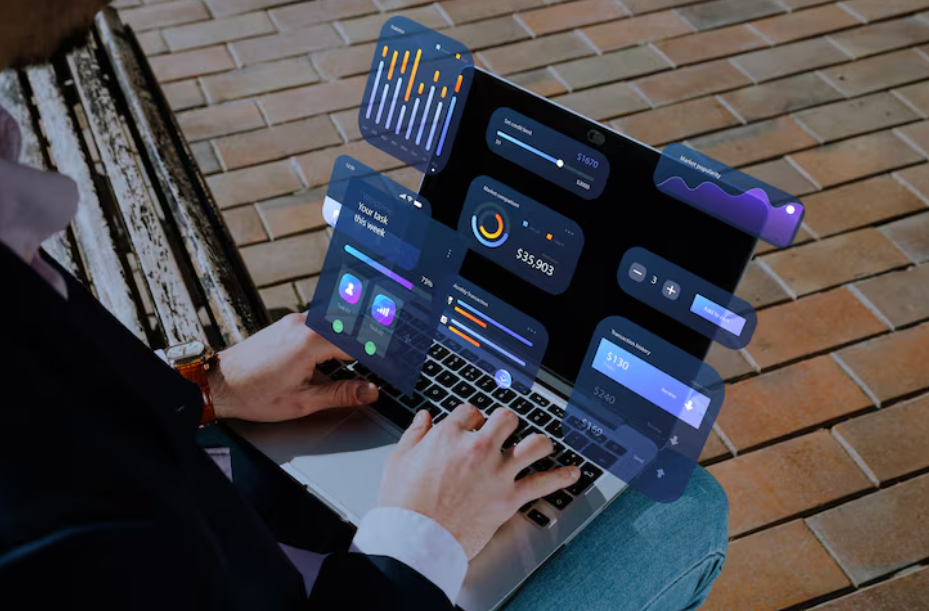
When we think about web apps, many of us think of simple actions like creating, reading, updating, and deleting data. These actions are called CRUD. Most websites use CRUD like filling a form, posting a comment, or updating a profile. But today, many modern apps need more than just CRUD. They need to show live data, fast updates, and instant results. This is where real-time dashboards and streaming data come in.
For example, imagine a stock market app that updates prices every second, or a delivery app that shows where the driver is in real time. These apps don’t wait for the user to refresh the page they push updates live, as they happen.
In java full stack developer course, more students are learning how to build these real-time dashboards. They are learning how to move beyond basic CRUD and add powerful features using streaming data. This blog will explain what streaming data is, how it works, and how you can use it in your own full stack app.
What is Streaming Data?
Streaming data is data that flows in continuously. It is not stored first and then shown later. Instead, it comes in real time, second by second, or even faster. Examples include:
- Live sports scores
- Temperature sensors
- GPS data
- Financial market prices
- Chat messages
- Online multiplayer game stats
This data must be shown to the user immediately. That’s why we use streaming instead of waiting for full updates.
What is a Real-Time Dashboard?
A real-time dashboard is a page that shows live data as it happens. You don’t need to refresh. You don’t need to click anything. The data just updates automatically. These dashboards are used in many places:
- Sales dashboards to show daily revenue
- IoT dashboards to monitor smart devices
- Logistics dashboards to track deliveries
- Admin panels to manage users and traffic
- Social media tools to track likes, shares, and comments
These dashboards need both frontend and backend skills. Full stack developers need to know how to build and connect both sides.
CRUD vs Streaming Data
Let’s look at the difference in simple terms:
| Feature | CRUD Apps | Real-Time Streaming Apps |
| Data Update | When the user requests it | Automatically, as data arrives |
| Speed | Slower, user-triggered | Fast and constant |
| Use Cases | Blogs, forms, profile settings | Stock apps, chats, delivery trackers |
| Technology | REST APIs, simple database calls | WebSockets, Pub/Sub, streams |
| Refresh Needed | Yes | No |
CRUD is good for many apps, but if your app needs live updates, you need streaming.
Technologies for Streaming Data
To build a real-time dashboard, you need special tools. Let’s look at some of the most popular technologies used in full stack streaming apps.
1. WebSockets
WebSockets create a two-way connection between the server and the client. This means:
- The server can deliver data to the client at any time
- The client doesn’t need to ask repeatedly
- It is perfect for real-time apps
Libraries like Socket.IO make WebSockets easy to use with Node.js and React.
2. Server-Sent Events (SSE)
SSE is simpler than WebSockets. It lets the server send data to the client, but not the other way around. It is good for dashboards where the user only needs to see data and not send much back.
3. MQTT
MQTT is often used in IoT (Internet of Things) apps. Devices like sensors send small data packets often. MQTT is lightweight and fast.
4. Firebase Realtime Database
Firebase gives you a ready-to-use database that updates automatically. When data changes, all clients get the new data instantly. It’s great for chat apps, dashboards, and small projects.
5. Kafka
Apache Kafka is used in big companies. It handles huge amounts of streaming data. It’s more complex but very powerful.
How to Build a Real-Time Dashboard
Let’s go through the steps to build a real-time dashboard using full stack JavaScript.
Step 1: Set Up the Backend
Use Node.js with Socket.IO for WebSocket support.
Install the tools:
npm install express socket.io
Create a server:
const express = require(“express”);
const http = require(“http”);
const socketIo = require(“socket.io”);
const app = express();
const server = http.createServer(app);
const io = socketIo(server, {
cors: {
origin: “*”,
}
});
io.on(“connection”, (socket) => {
console.log(“User connected”);
// send data every 2 seconds
setInterval(() => {
const data = { value: Math.random() * 100 };
socket.emit(“data”, data);
}, 2000);
socket.on(“disconnect”, () => {
console.log(“User disconnected”);
});
});
server.listen(5000, () => {
console.log(“Server running on port 5000”);
});
This sends random data to the client every 2 seconds.
Step 2: Build the Frontend
Use React and connect with Socket.IO.
Install the client:
npm install socket.io-client
Add this to your component:
import React, { useEffect, useState } from “react”;
import { io } from “socket.io-client”;
const socket = io(“http://localhost:5000”);
function Dashboard() {
const [data, setData] = useState(null);
useEffect(() => {
socket.on(“data”, (newData) => {
setData(newData.value.toFixed(2));
});
return () => socket.disconnect();
}, []);
return (
<div>
<h2>Real-Time Data</h2>
<p>Current Value: {data}</p>
</div>
);
}
export default Dashboard;
Now, every time the backend sends new data, the dashboard updates instantly.
Real Use Cases
Here are some real-world ideas for real-time dashboards:
1. Sales Tracker
Show live sales, customer signups, and revenue updates.
2. Crypto or Stock Price Dashboard
Show live price changes of Bitcoin, Ethereum, or stocks.
3. Delivery Tracker
Track where drivers or parcels are on a map in real time.
4. System Monitor
Show server CPU, memory, and traffic live.
5. Chat App
Show messages as they come without refreshing.
All these apps can be built using the same full stack skills React, Node.js, WebSockets, and streaming data.
Tips for Real-Time Dashboards
Here are some simple tips when building with streaming data:
- Don’t send too much data at once it can slow down the app
- Use charts and graphs to show data clearly
- Add loading states while waiting for data
- Handle disconnects with proper error messages
- Save important data to the database if needed
Also, test with real users to see if the dashboard is fast and easy to use.
Where to Learn More
You can learn real-time dashboards from many places:
- YouTube tutorials
- FreeCodeCamp and other coding websites
- GitHub projects
- Official docs for Socket.IO, Firebase, and Kafka
- Joining a developer course that teaches real-time features
Challenges of Streaming Data
While streaming is powerful, it has some challenges:
1. Performance
Too much data can slow things down. You need to optimize your backend and frontend.
2. Security
Make sure only the right users get the right data. Use authentication and HTTPS.
3. Error Handling
Handle dropped connections, timeouts, and missing data smoothly.
4. Cost
Some services charge more for real-time features. Keep an eye on usage.
But if done right, streaming data makes your app feel modern, fast, and smart.
Conclusion
Real-time dashboards and streaming data take your app beyond CRUD. They let you build exciting, powerful apps that users love to interact with. Whether you’re tracking live sales, monitoring a system, or building a chat app, streaming gives your app superpowers.
In today’s world, these skills are in high demand. Many companies are scrutinising for developers who can build not just static apps, but dynamic, real-time platforms.
If you’re just getting started, a good full stack developer course can help you comprehend how to use JavaScript, Node.js, React, and real-time tools like Socket.IO. You’ll be able to build complete apps from the database to the user interface with live, streaming data.
The future is real-time. Learn it. Build it. Stream it.
Contact Us:
Name: ExcelR – Full Stack Developer Course in Hyderabad
Address: Unispace Building, 4th-floor Plot No.47 48,49, 2, Street Number 1, Patrika Nagar, Madhapur, Hyderabad, Telangana 500081
Phone: 087924 83183